Best Online Ordering and Management Tools for Food Trucks
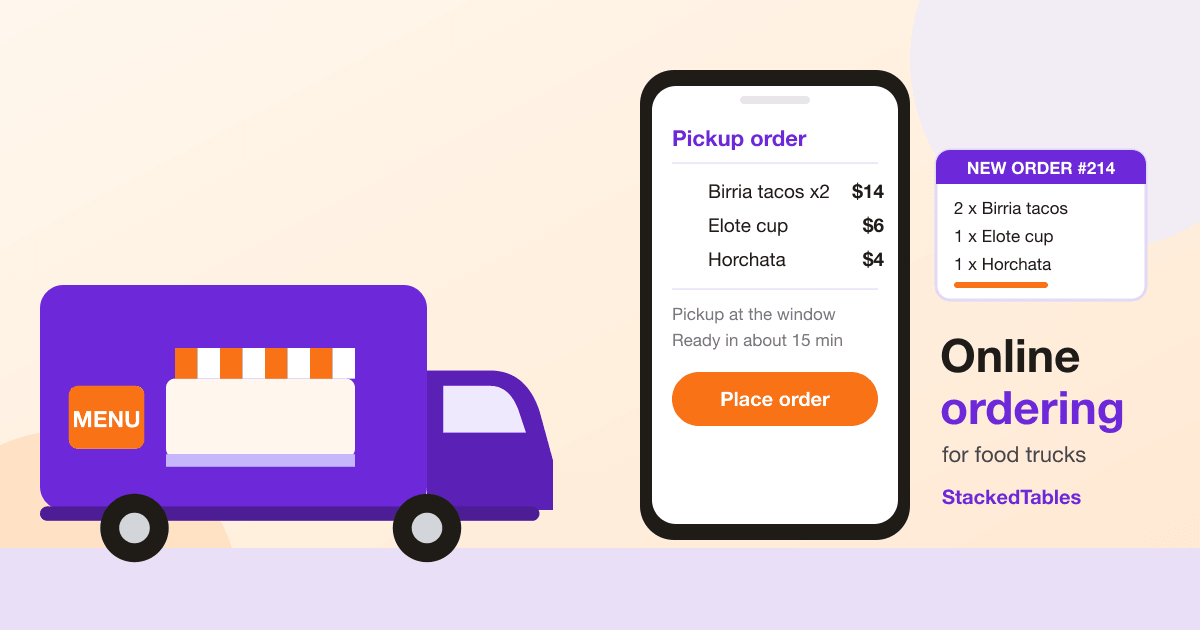
Most restaurant software is designed around a dining room: tables, servers, a host stand. A food truck has none of that. You have a window, a line, a small crew, a menu that changes with what's fresh, and a few busy hours where everything happens at once.
So "best" depends on how you actually work. This guide walks through what a food truck ordering system needs to do, the main kinds of tools you'll come across, and where StackedTables fits, including the places it doesn't. We've kept the claims to what the product does today.
What a food truck needs from ordering software
Before comparing tools, it helps to write down what you'd want it to solve:
- Rushes without missed orders. Orders should arrive in one place, in order, instead of in shouts, texts and DMs.
- A menu you can change in seconds. Specials, sell-outs and new items, without a reprint.
- Pickup orders people can place themselves. Ideally with no app to download and no account to create.
- A clear view for the crew. What's been ordered, what's being made, what's done.
- Scheduled and catering orders. Events and offices that order ahead, without clogging the window.
- Predictable costs. Little or no fixed software bill, and fees you can work out in advance.
- Honesty about what it doesn't do. Every tool has limits. You want to know them before you switch.
The kinds of tools you'll find
You'll generally run into four types of tool, and each suits a different kind of truck. The specifics change often, so check each vendor's current terms.
- Full POS systems with an online ordering add-on. These often bundle card readers and printers, and they suit trucks that need a register and in-person card payments. They commonly come with a monthly software fee.
- Marketplace and delivery apps. They can put you in front of new customers, but they often take a larger cut of each order and the customer relationship sits with the platform.
- Website builders with an ordering plugin. Good if you already have a site you like, though the ordering features and kitchen tools vary a lot.
- Dedicated online ordering platforms. Built around a menu, an ordering page and an order console. StackedTables is in this group.
If you're searching for food truck POS alternatives, the useful question is which parts of a POS you actually use. If it's mostly "take orders and tell the kitchen", a dedicated ordering tool may be enough. If you rely on a card reader at the window, you'll still need something for that.
Handling rushes and avoiding missed orders
The lunch rush is where a truck's system gets tested. With online ordering, orders land in one live order console as customers place them, instead of depending on someone shouting a ticket across the truck. An order that arrives with an order number and a status is much harder to lose.
For the cooking line, StackedTables has a kitchen display you can run on a tablet. Orders appear and the crew bumps them item by item as they're made. The kitchen can also refuse a dish with a reason, and you can close the station when you run out of something or finish for the day. Our post on the kitchen display and staff roles explains how that works.
Two other habits help during a rush:
- Mark items unavailable the moment they run out, so customers can't order them.
- Use scheduled time slots with a cap for busy events, so a flood of orders can't all land in the same ten minutes.
None of this guarantees a smooth service. It does make "where did that order go?" a much rarer question.
Pickup orders and your menu online
For most trucks, food truck pickup orders are the core of online ordering. Customers open your menu on their phone, build an order and pay online, or pay at the window if you've turned online payment off. They don't install an app and they don't create an account.
In StackedTables you turn on pickup in Settings, and your menu becomes a page you can share anywhere: your Instagram bio, your Google listing, a flyer or a QR code on the truck. If you also want a dedicated menu page with your photos and branding, the menu design tools let you add text, images and buttons around the live menu, and you can serve it from a domain you own. That gives you something close to a food truck website with online ordering, without building a site from scratch. If you want to use QR codes to point people to it, see our guide to QR codes for food trucks.
A food truck moves, and StackedTables doesn't track your location. A simple fix is to put today's spot and hours in a short welcome message above the menu and update it each morning.
Menus and item availability
Menu management is where a lot of the daily work happens, so it should be fast:
- Build the menu in categories with prices and photos, and see changes the moment you save.
- Import the menu you already have from a link, a PDF or a photo, then check every line before it goes live. Our post on importing a menu with AI shows how.
- Keep several menus. A lunch menu, an evening menu, a catering menu and an event menu can each have their own link and QR code, all built from one set of items.
- Toggle items on and off when you sell out.
One honest limit: StackedTables doesn't track inventory counts. You mark items available or unavailable yourself rather than having stock levels deduct automatically.
Organizing orders and kitchen workflows
Behind the menu is the part your crew uses every day:
- A live order console that shows orders as they come in, from new through to served, with history and earnings.
- A kitchen display for the line, as above.
- Staff roles. Invite a manager, cashier, waiter, chef or cook, and each lands on the screen their job needs with only the access that role allows.
StackedTables is designed around restaurants with tables, so some of it, such as the floor plan and waiter screen, is built around tables. A truck might not use those parts, and that's fine. The ordering page, order console, menu tools and kitchen display are the pieces most trucks care about.
Catering orders and scheduled orders
Food truck catering orders are a good way to make money outside the window, but they need a different process from a walk-up order. StackedTables covers the ordering side:
- A separate catering menu with its own link and QR code, so you can put different items or portions on it.
- Preorders with time slots. You choose the pickup dates and hours, or add exact time slots, set how many orders each slot can take and set an order deadline. When a slot is full it closes automatically.
- Planning ahead. The furthest out any menu can be scheduled is 60 days.
It doesn't build custom quotes. It's a way for customers to order ahead from a catering menu for a time you've chosen. If you need to quote each event individually, you'll want a separate process for that.
Delivery management
Some trucks do deliveries and many don't. If you do, StackedTables supports delivery with your own drivers: you set the delivery area, minimum order and delivery fee, and your staff mark each order as out for delivery and delivered. The customer is emailed as the order moves.
Courier delivery through a delivery partner is on the way but isn't something to plan around yet, so if you need on-demand couriers today, check what's available when you set up. For food truck delivery management, think of today's version as a tool for organizing deliveries your own team makes.
What it costs, and what's separate
Cost is the question we get asked most, so here are the parts that are straightforward. For the full, current list, read the StackedTables fee schedule.
StackedTables doesn't charge a monthly software subscription. There's no tier ladder to climb. The menu builder, order console, kitchen display, staff roles and the other features above are all part of the same product. That keeps your fixed software cost low, which matters if your sales swing with the weather and the season.
StackedTables' own fee is a percentage of orders paid online:
- 2% of each order paid online, capped at $150 per restaurant per calendar month. After the cap is reached, no further platform fee is taken that month.
- Nothing on orders that aren't paid online. The fee applies only to orders customers pay for online through the menu. If you turn online payment off and take payment yourself, the platform fee doesn't apply.
- Your first restaurant is included. The landing page lists each additional location at $40 per month, which may matter if you run more than one truck.
To make that concrete, on a $25 order paid online the platform fee is $0.50. On a $200 catering order paid online it's $4.00. The cap is reached at $7,500 in online orders in a month, since 2% of $7,500 is $150, so busy months don't keep climbing.
Card processing is separate. Taking a card payment has its own cost for processing the card itself, and that's not part of StackedTables' fee. The fee schedule lists the processing rates and every other charge that can apply, which can include account-level charges for taking card payments and dispute fees. Look at the total cost of an order rather than just the headline percentage. Rates for specific restaurants can differ, which is why we link the schedule instead of repeating numbers here that might go out of date.
Where StackedTables is not the right fit
We'd rather you pick the right tool than the wrong one. StackedTables is probably not enough on its own if you need:
- A full POS, meaning a register, a card reader and in-person card payments. StackedTables is built around customers ordering from their own phones.
- Offline use. Online ordering depends on an internet connection, and it doesn't include an offline payment mode.
- Built-in inventory tracking. As above, availability is a switch you control, not a count.
- Courier delivery today. See the delivery section.
Many trucks pair an ordering tool with whatever they already use to take payments at the window. Our post on QR ordering versus a full POS goes through what a QR-ordering platform replaces and what it doesn't.
A simple setup plan for a food truck
If StackedTables sounds like a fit, here's an order that works:
- Get your menu in. Import it from a link, PDF or photo, or build it by hand, then review every item and price.
- Turn on pickup and set your pickup hours.
- Decide how you'll take payment. Either take payment online, or turn online payment off and collect it yourself at the window. The platform fee only applies to orders customers pay for online through the menu.
- Add your crew with roles that match what they do, and set up a tablet as your kitchen display.
- Share your ordering link and QR code. Put it in your bio, on the truck window and on flyers.
- Add a catering or event menu with scheduled slots when you're ready.
Questions to ask any ordering vendor
- What exactly do you charge: software fees, per-order fees, card processing and anything else? What's the total on a typical order?
- Do customers need an app or an account to order?
- Can I mark items sold out in seconds, and can I limit orders per time slot?
- What does the crew see during a rush?
- What happens if my connection drops?
- What isn't included?
Frequently asked questions
What is the best online ordering system for a food truck?
It depends on how you work. If you mostly want customers to order pickup from their phones and your crew to see orders clearly, a dedicated ordering platform like StackedTables may be enough. If you need a register and in-person card payments, you'll want a POS as well or instead.
Do customers need to download an app?
No. Customers open your menu in their phone's browser, and they don't create an account.
Can I take catering orders?
You can publish a separate catering menu with its own link and QR code, and offer scheduled pickup slots with caps and an order deadline. StackedTables doesn't produce custom quotes.
Does StackedTables handle delivery?
Yes, with your own drivers. You set the delivery area, minimum order and fee, and your team marks orders as out for delivery and delivered. Courier delivery through a delivery partner isn't something to rely on yet.
How much does it cost?
There's no monthly software subscription. StackedTables takes 2% of orders paid online, capped at $150 per restaurant per month, and nothing on orders that aren't paid online. Card processing fees are separate. See the fee schedule for the current rates and every other charge.
Next step
If you'd like to see how it would work for your truck, get started with StackedTables or book a demo to see it working. You can also read about using QR codes to send customers to your menu.
Create your QR codes with StackedPixels
Dynamic QR codes, GS1-compliant labels, hosted landing pages, and scan analytics — all in one platform. Free to start.
Get started free